
Play Hysteria Sprunki Mod Game
Sprunki Popular Characters
All 20 Characters




Sprunki Popular Character Ranking
Oren - Beat Character
Sky - Effect Character
Durple - Melody Character
Wenda - Vocal Character
Tunner - Melody Character
Trending Games


























Hysteria Sprunki Mod
The Hysteria sound set
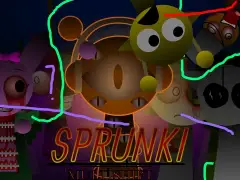
This listing opens the project titled “Hysteria (SPRUNKI MOD)”. Familiar character names remain in the loaded lineup, but several audio assignments differ from the main Sprunki player. That makes a character-by-character comparison useful even when an icon looks familiar.
Compare a known character first
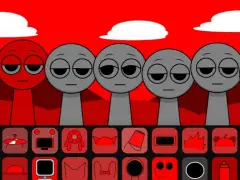
The Oren slot contains tum and tum2 in its normal pair, rather than the main player’s kick files. Gray uses bzzzz and bzzzz2, and Durple uses Royal1 and Royal2. These source labels identify distinct pairs to explore; listen to a complete repeating passage before deciding which role a changed sound fills.
Build a Hysteria arrangement
Start with one familiar-looking upper-row icon and one lower-row part. Change only the second selection while you learn the new palette. A recognizable silhouette is a way to find a slot, while the sound you hear determines whether it fits the arrangement.
Compare the same two character choices in the main player afterward. Keeping the lineup choices constant helps expose the difference between a new sound and a new visual treatment.
Keep track of this build
Use the Hysteria project title in this introduction when returning to this version. The loaded package also retains the computer voice family and changes other parts, so a guide to the normal lineup is most useful as a comparison reference. Open the main Sprunki game in another tab to compare the same two character choices.
Character and sound references
The table lists audio labels assigned to selected characters in this build. Several labels in one row are alternative clips associated with that character. Use the character name to find a part, then compare its phrase in the player.
| Character or part | Audio labels in this project |
|---|---|
| Oren | tum, tum2, and TOM |
| Gray | bzzzz, bzzzz2, and BZZA |
| Mr. Sun | carlangas, carlangas2, and WHYWOULDYOU |
| Mr. Fun Computer | aising1, aising2, and aispeak1 |
| Raddy | kelli, kelli2, and PAA |
Try a focused arrangement
Choose the icon for Oren and place it on an open performer. Let the phrase repeat, then add Gray in a separate position. Keeping the first arrangement small makes the contribution of each choice easier to recognize.
Next, compare Mr. Sun while keeping one of those first choices as your reference. Reuse that reference when exploring Mr. Fun Computer. Change one choice at a time so you can decide which combination you want to keep.