
Play Sprunkiledify Game
Sprunki Popular Characters
All 20 Characters




Sprunki Popular Character Ranking
Oren - Beat Character
Sky - Effect Character
Durple - Melody Character
Wenda - Vocal Character
Tunner - Melody Character
Trending Games


























Sprunkiledify
A redesigned lineup with a replacement sound set
Sprunkiledify is a drag-and-drop music mixer with seven performer positions and two rows of colorful sound icons. Its gray stage is framed by a changing pastel background. Instead of the main Sprunki player’s green landscape, the empty lineup appears as large, round gray heads that transform when you assign a sound.
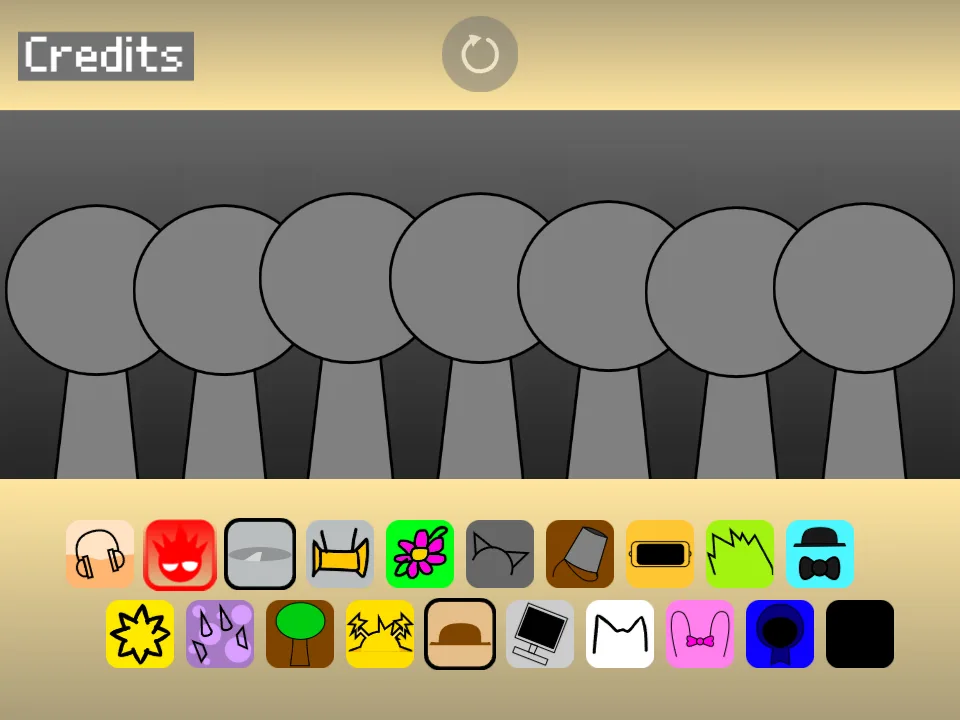
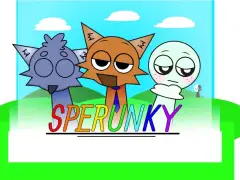
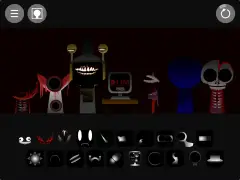
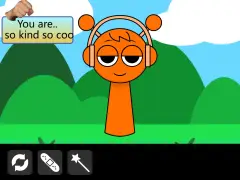
The build on this page identifies itself as “sprunkiledify but the sounds are replaced form sprunki egg’s remix==sprunkiledify”. The selected characters have distinct drawings: the headphone performer is orange with tall ears and hair, the cymbal performer has a large tilted silver disc, and the flower performer has long green hair. Familiar accessories help you find a part while you learn these redesigned portraits.
Find the 20 sound choices
The upper row begins with headphones, a red spiked face, a cymbal, a yellow robot-like head, and a flower. These first five choices occupy the beat group. The next five upper-row choices form the effects group, including the gray cat-ear shape, bucket, gold visor, lime spikes, and a black hat with round blue glasses.
The lower row begins the melody group: a sun, purple horn-like shape, tree, yellow angular symbol, and brown hat. The final five slots form the voice group, starting with a monitor and ending with the dark icon at the far right. There are 20 choices for seven positions, so choosing which parts to leave out is part of building an arrangement.
Build the tested two-character arrangement
Start with the headphone icon at the far left of the upper row. Drag it onto the leftmost gray head and release it over the performer. The orange character appears, and the assigned icon changes from a filled tile to a pale outline. This change is a useful way to track the sounds you have already placed.
Next, drag the cymbal icon, third from the left in the same row, onto the second gray head. Give the pair time to repeat before adding another part. Keeping the first two positions together makes it easy to match each active character to the icon you selected.
Expand the pair into the five-character example
To extend the tested pair, add the flower icon to the third position, the bucket icon to the fourth, and the lime spiked icon to the fifth. The resulting order is headphones, cymbal, flower, bucket, and lime spikes. This arrangement leaves the final two stage positions empty.
The characters overlap visually as the stage fills. Use each performer’s identifying accessory and the outlined icons below to keep track of the lineup. Add the three extra choices separately so you can judge the change after each addition. Once that pattern is familiar, reset and keep the same first two choices while testing a single melody or voice from the lower row.
Reset the stage and open the credits
The circular-arrow control sits at the top center of the game, above the middle performer. Selecting it clears the assigned characters and returns all seven positions to the gray starting lineup. It is dimmer on an empty stage and becomes clearer after sounds are assigned. Use it to rebuild the two-part example before comparing another combination.
Credits is a separate button at the upper left. It opens a screen displaying “Composer: TehCountix”, with a large X in the upper-right corner to close the panel. Keep these controls separate from the website’s Fullscreen button below the player: the circular arrow changes the game arrangement, while Fullscreen changes the size of the viewing area.
Choose this remix for a visual and sound comparison
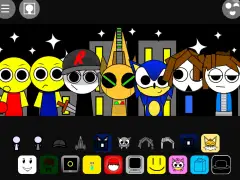
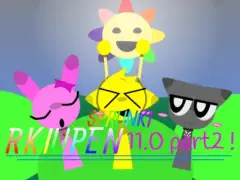
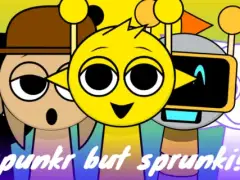
Try this build when you want familiar accessory icons paired with different character drawings and a replacement sound set. The carousel offers another arrangement: a tan, animal-eared headphone performer beside the sun, followed by the gray cat, monitor, and blue hood. Compare those portraits with the main player’s Oren, Mr. Sun, Gray, Fun Bot, and Jevin while keeping track of the accessory you selected.
For a useful listening comparison, keep a note of the two icons you used, then select the same accessories in the main Sprunki player. Compare one pair before filling either stage. A recognizable icon helps you locate a slot, while the phrase produced by this particular remix determines which other parts you want beside it.