
Play Sprunki Mustard Game
Sprunki Popular Characters
All 20 Characters




Sprunki Popular Character Ranking
Oren - Beat Character
Sky - Effect Character
Durple - Melody Character
Wenda - Vocal Character
Tunner - Melody Character
Trending Games


























Sprunki Mustard
Mustard is the Sprunkstard build
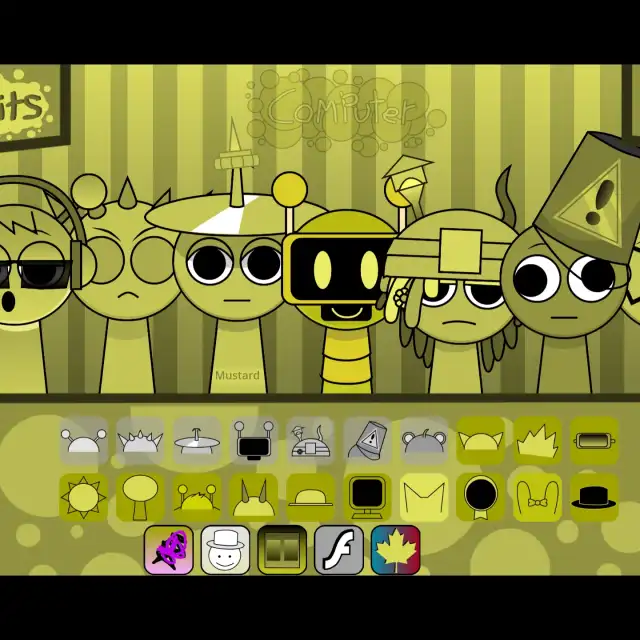
This player identifies itself as “Incredibox Sprunkstard [If sprunki were in mustard]”. Its stage is yellow and olive, with a striped backdrop and matching performer outlines. The captured interface shows two long rows of icons plus a shorter third row of extra choices.
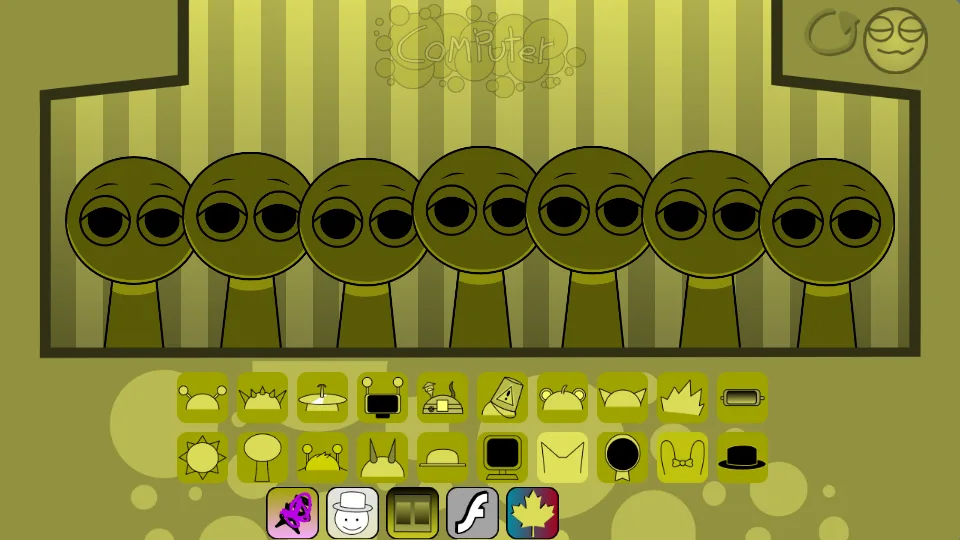
Choose icons by shape
The shared yellow palette makes accessories more useful than color. Begin with a headphone, cymbal, flower, or monitor shape. Drag a choice onto a gray performer, let its phrase repeat, and add one contrasting part. Keep the extra row for a later comparison once the first pair is clear.
Explore the extra sound palette
The inspected build includes beat, effect, melody, voice, and Allstar sprite groups. Its melody assets include trumpet- and guitar-labeled parts, while the voice group contains vocal-chop material. Choose one of those instrumental or vocal colors and compare it against the same foundation before filling more positions.
Mustard compared with Katchup
Mustard’s yellow striped setting and short third icon row differ from Katchup’s red outdoor stage and expanded two-row layout. They are separate players with separate selections. Use the screenshots to identify the interface, then compare actual phrases rather than treating the color change as the whole difference.
Start with this two-part mix
To reproduce the first pair tested in Sprunki Mustard, drag row 1 icon 1 onto the first performer from the left. Next, place row 1 icon 3 on the second performer. Both drops activated a separate part.
Build the five-part arrangement
Continue the Sprunki Mustard arrangement with row 1 icon 5 on performer 3, row 1 icon 7 on performer 4, and row 1 icon 9 on performer 5. Add them in that order to reach five active parts. Two of the 7 positions remain open for another choice.
| Add in order | Sound choice | Performer position |
|---|---|---|
| 1 | row 1 icon 1 | first from the left |
| 2 | row 1 icon 3 | second from the left |
| 3 | row 1 icon 5 | third from the left |
| 4 | row 1 icon 7 | 4th from the left |
| 5 | row 1 icon 9 | 5th from the left |