
Play Sprunki Katchup Game
Sprunki Popular Characters
All 20 Characters




Sprunki Popular Character Ranking
Oren - Beat Character
Sky - Effect Character
Durple - Melody Character
Wenda - Vocal Character
Tunner - Melody Character
Trending Games


























Sprunki Katchup
The red Katshup remix
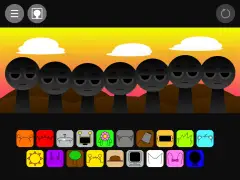
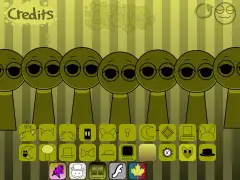
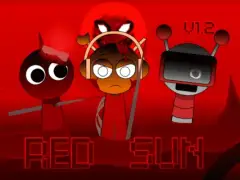
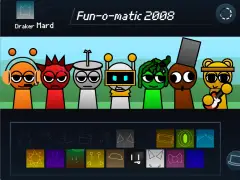
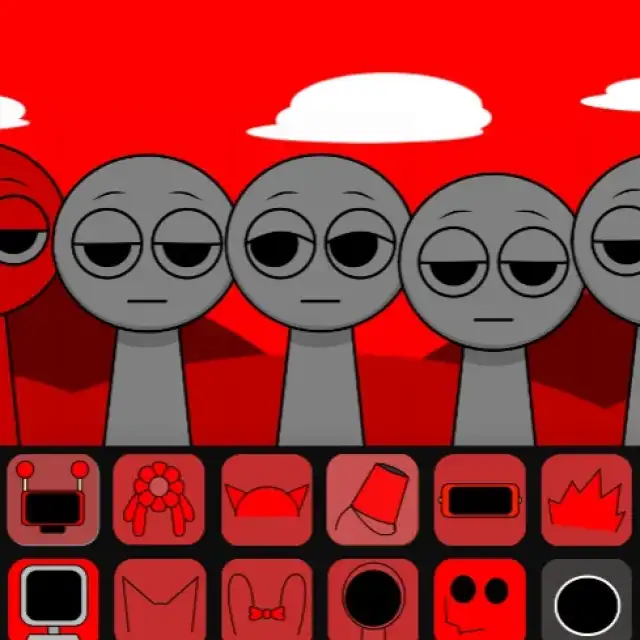
Sprunki Katchup opens “Incredibox - Sprunki Version Katshup remix”. Its bright red sky, red hills, and recolored icons make it easy to distinguish from the main player’s blue sky and green landscape. The captured stage has seven performer positions and an expanded selection of sound icons in two rows.
Start with familiar shapes
Find the headphone, cymbal, flower, or bucket shape before choosing by color: much of this lineup uses red. Drag one of those icons onto a performer, let the phrase repeat, then add a contrasting icon. Keeping the first arrangement small helps you learn the remapped visual palette.
The additional icons at the right side of the rows give you more to compare after the familiar lineup. Try one new part against a rhythm you already recognize instead of selecting several unfamiliar icons together.
How it differs from the main lineup
The inspected project includes extra named performers such as Ghefik, Missing, Apple, and Robot alongside familiar character sprites. Its expanded roster is a more useful reason to explore the remix than the red palette alone. Use the shown icons to identify which extra part you are testing.
A comparison to try
Build one arrangement with a headphone-shaped icon and a melody, then repeat the same visual choices in the main Sprunki player. Compare the sound, icon selection, and character animation separately. The image carousel records this Katchup build, so use it to recognize the version you opened.
Character and sound references
The table lists audio labels assigned to selected characters in this build. Several labels in one row are alternative clips associated with that character. Use the character name to find a part, then compare its phrase in the player.
| Character or part | Audio labels in this project |
|---|---|
| Oren | kick, kick2, and kick3 |
| Gray | bass1, bass2, and bass3 |
| Mr. Sun | piano1, piano2, and piano new1 |
| Mr. Fun Computer | aising1, aising2, and aispeak1 |
| Raddy | snare, snare2, and snare3 |
Try a focused arrangement
Choose the icon for Oren and place it on an open performer. Let the phrase repeat, then add Gray in a separate position. Keeping the first arrangement small makes the contribution of each choice easier to recognize.
Next, compare Mr. Sun while keeping one of those first choices as your reference. Reuse that reference when exploring Mr. Fun Computer. Change one choice at a time so you can decide which combination you want to keep.