Sprunki Gray



Effects · Bass
Recognizing Gray in the player
Gray is gray with pointed ears and a plain face. His icon is sixth in the upper row. Wenda’s white pointed-ear design appears in the lower row; check the cheek shape and icon position when dark lighting makes color less useful.
What Gray sounds like
Although this directory groups Gray with effects, the normal samples are named bass1 and bass2. Listen for a low pitched foundation. It is a useful example of why choosing by the actual sound is more helpful than relying on a group label alone.
Mr Sun’s piano gives the bass a clear partner in another range. Add Oren only after comparing the piano with and without Gray. The bass and kick can both support an arrangement, but listen for whether their lower parts remain distinct.
A bass foundation beneath piano
- Place Gray’s upper-row pointed-ear icon on an empty performer.
- Add Mr Sun’s lower-row sun icon to the next position.
- Compare the piano alone with the bass–piano pair before adding another low sound.
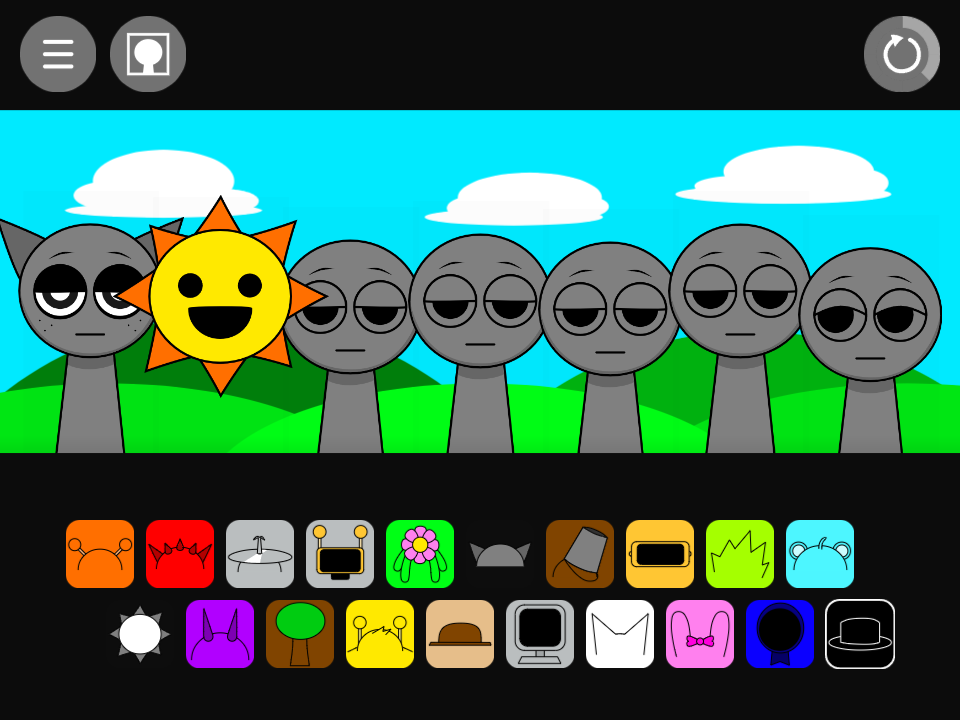
Choosing parts around Gray
Garnold contributes a moving arpeggio higher in the arrangement, while Gray supplies a lower foundation. Testing Gray with Mr Sun leaves room for a single voice later. That is often a clearer starting point than combining several melody and effects icons immediately.
Gray in the alternate sound set
The alternate sample pair is bass3 and bass4. Darker Gray artwork can resemble an empty performer at a glance, so look for the character’s pointed-ear outline and occupied sound icon as well as its body color.
A practical question
Is every gray stage figure Gray the character?
Unassigned stage figures are gray too. Gray the character appears after you assign his own upper-row icon; the empty figures are places where other sound icons can be dropped.
Try this arrangement in the main Sprunki player · Open the tested project